




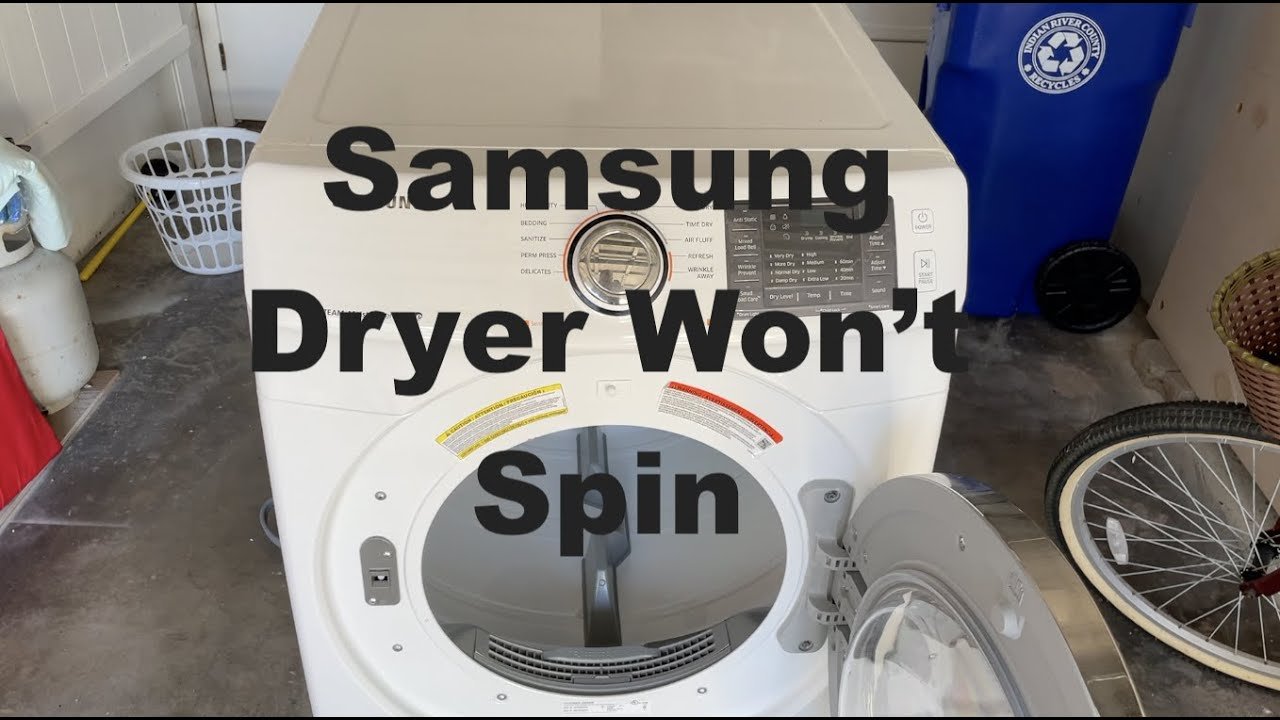
A Samsung dryer that stops spinning can quickly turn laundry day into a stressful experience. Whether the dryer powers on but the drum doesn’t turn, or it makes noise without movement, the issue can come from a few common causes. The good news is that most problems are simple to diagnose, and many can be fixed without replacing the entire appliance. In this article, we will explore the reasons your Samsung dryer may not spin, how to troubleshoot the issue, and what to do if repairs are needed.
Understanding How the Dryer Drum Spins
Before exploring the problems, it helps to understand how the spinning mechanism works. Inside the dryer:
-
A motor turns the drum
-
One or more belts connect the motor to the drum
-
Rollers and bearings support the drum
-
A door switch ensures the dryer won’t spin while open
-
A control board sends commands to start the cycle
If any of these components fail or become worn out, the drum may stop spinning even if the dryer still heats or makes noise.
1. Check for Power and Control Settings
Is the dryer receiving power?
Sometimes the simplest issues are overlooked. Ensure that:
-
The dryer is securely plugged in
-
The circuit breaker hasn’t tripped
-
The control panel is responding
-
The correct drying cycle is selected
If the display is blank or unresponsive, you may be dealing with a power or control board issue rather than a spinning problem.
When this causes the drum to stop:
If the dryer loses power mid-cycle or fails to send proper signals, the drum will not run even though the machine appears fine.
2. Door Switch Not Working
The dryer will not spin if it thinks the door is open.
Signs of a faulty door switch:
-
The light stays on when the door is closed
-
The dryer won’t start at all
-
The drum doesn’t move even though the display shows the cycle is running
Sometimes the door latch may be loose or misaligned, preventing the switch from activating.
Easy Fix:
Close the door firmly and listen for a click.
If there’s no click, the switch or latch may need adjustment or replacement.
3. Broken or Loose Drive Belt
One of the most common reasons a Samsung dryer stops spinning is a broken or worn drive belt.
How to identify belt problems:
-
The motor runs but the drum doesn’t move
-
You smell rubber or hear a slapping sound
-
The drum spins freely when turned by hand
Over time, belts stretch, crack, or snap completely.
Solution:
Replacing the belt is usually a straightforward repair for technicians and often inexpensive.
Read more:Dryer Not Heating Issue
4. Faulty Drum Rollers or Support Wheels
Samsung dryers use rollers or wheels to support the drum. If these rollers wear out, the drum may stop turning or become difficult for the motor to move.
Symptoms include:
-
Loud thumping, squeaking, or grinding sounds
-
Drum feels stuck or stiff when turned by hand
-
The dryer starts but quickly shuts off to protect the motor
Fix:
All rollers should be replaced at the same time to ensure smooth rotation.
5. Motor Failure
If the motor burns out or becomes clogged with dust, the drum will not spin.
Signs of motor issues:
-
The dryer hums but doesn’t spin
-
The dryer shuts off shortly after starting
-
Burning smell or overheating
-
Drum is very hard to turn by hand
Samsung motors are durable, but age, lint buildup, and heavy use can cause failure.
Solution:
A failed motor usually requires professional replacement more than DIY repair.
6. Idler Pulley Problems
The idler pulley keeps tension on the drive belt. When it wears out or gets stuck, the belt can slip and the drum won’t spin.
Symptoms:
-
Squealing or high-pitched noise
-
Drum not turning even though motor runs
-
Visible slack in the belt
Fix:
The pulley must be cleaned, lubricated, or replaced.
7. Thermal Fuse or Safety Cutoff Activated
Samsung dryers have safety fuses that stop the motor if the dryer overheats.
Possible causes of overheating include:
-
Clogged lint filter
-
Blocked exhaust vent
-
Restricted airflow
-
Heavy loads running for long periods
Symptoms of a blown thermal fuse:
-
Dryer turns on but drum doesn’t spin
-
Dryer won’t start at all
-
No sound when pressing the start button
Fix:
The fuse must be replaced, and the airflow system should be cleaned to avoid another failure.
8. Control Board or Relay Issues
The dryer’s control board sends signals to the motor. If a relay or circuit fails, the motor may not receive power.
Signs of control board faults:
-
Dryer lights turn on but drum doesn’t spin
-
Random stopping during cycles
-
Error codes on display
-
No response when pressing Start
Fix:
Control board replacement may be necessary if no other mechanical issue is found.
9. Overloaded Dryer
Sometimes the problem is simply that the dryer is overloaded. Heavy loads such as blankets, comforters, and wet towels can put too much strain on the motor.
Symptoms:
-
Drum starts spinning then stops
-
Dryer struggles or makes noise
-
Clothes take longer to dry
Fix:
Remove some items and try again.
10. Belt Switch Activated (Certain Samsung Models)
Some Samsung dryers have a belt safety switch. If the belt breaks, the switch prevents the motor from running to avoid damage.
Signs:
-
Dryer appears dead
-
No spinning or motor sound
-
Drum turns freely by hand
Solution:
Replace the belt and ensure the safety switch is correctly reset.
How to Troubleshoot Safely
1. Turn off the dryer and unplug it
Never inspect belts or internal parts with the appliance plugged in.
2. Use a flashlight for internal inspection
Look for dust, loose belts, or broken parts through the rear vent or bottom panel.
3. Rotate the drum manually
If the drum is difficult or impossible to turn, the rollers or bearings may be at fault.
4. Listen for unusual sounds
Grinding, thumping, or squealing noises give clues to the issue.
Preventing Future Spinning Problems
To keep your Samsung dryer working smoothly:
-
Clean the lint filter after every load
-
Vacuum lint from inside every few months
-
Avoid overloading
-
Keep vents unblocked and clean
-
Run the dryer on correct heat settings
-
Have yearly maintenance for older dryers
Proper care increases lifespan and prevents most mechanical problems.
When to Call a Professional
You should contact a technician if:
-
The motor hums but won’t turn
-
Burning smell is present
-
Electrical components are involved
-
The drum won’t move even with troubleshooting
-
The dryer shuts off suddenly during use
Mechanical repairs like motor, pulley, or roller replacement are best handled by professionals unless you have experience with appliance repair.
Final Thoughts
A Samsung dryer that isn’t spinning can be frustrating, but most causes—such as a broken belt, worn rollers, faulty door switch, or clogged airflow—are straightforward to identify. With proper troubleshooting and a little maintenance, you can often get your dryer running again without major expense. If the issue involves the motor or control board, calling a technician will ensure safe and reliable.
Read more: https://wowhead.co.uk/